Enumerations
The Enumerations view allows administrators to manage predefined value lists used across the Issue Tracker. These enumerated values provide standardised options for categorising issues and time entries. The view is split into two tabs, one per list.
Issue Priorities
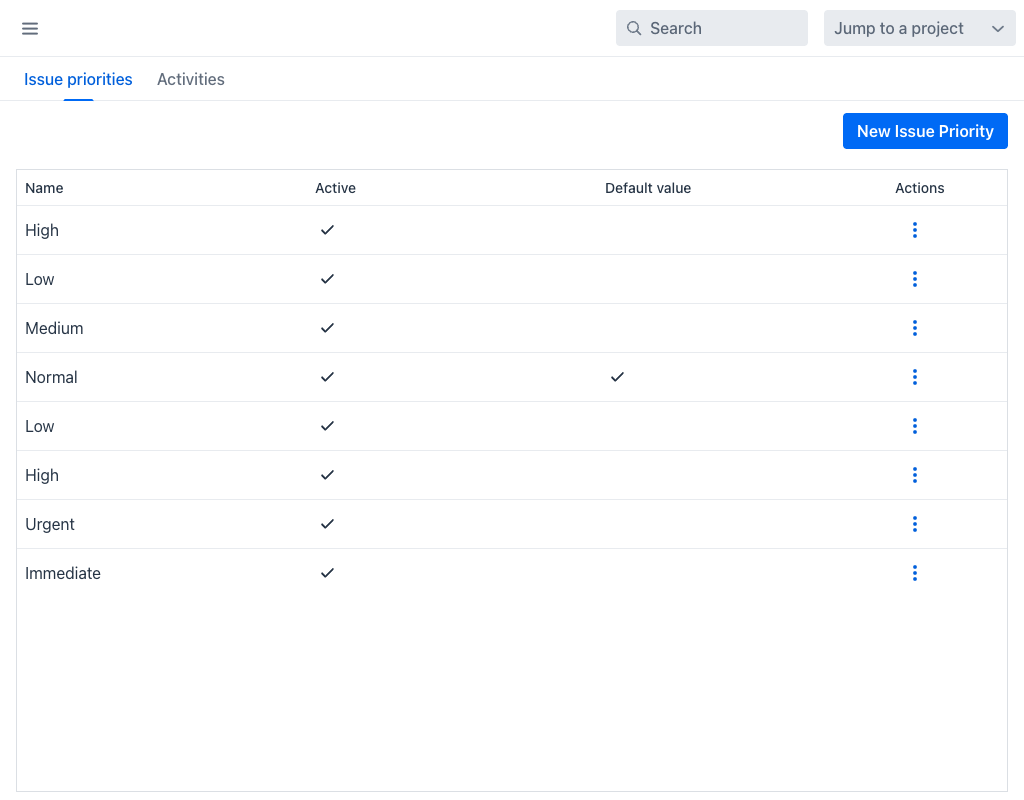
The Issue priorities tab defines the priority levels available when creating or editing issues. The default set includes values such as Urgent, High, Normal and Low.
The grid displays the following columns:
- Name: The display name of the priority level.
- Active: Indicates whether the priority is available for use.
- Default value: Indicates which priority is pre-selected when creating new issues.
- Actions: A per-row actions menu (⋮) with Edit and Delete.
Click New Issue Priority to add a new priority level. When creating or editing a priority, the following fields are available:
- Name (required): The display label for the priority.
- Active: Controls whether the priority appears in selection lists.
- Default value: Sets this priority as the default for new issues.
Activities
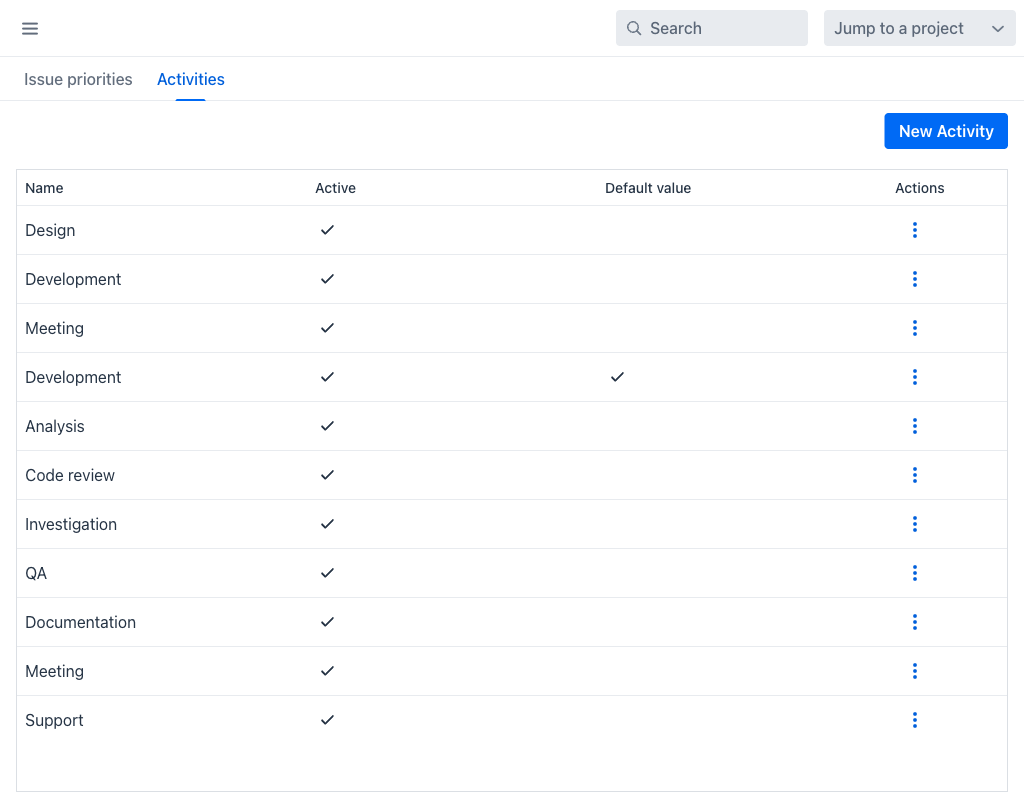
The Activities tab defines the activity types available when logging time. These values categorise how time was spent (e.g., Design, Development, Code review, QA, Documentation, Meeting, Support).
The grid and field structure are identical to Issue priorities: each activity has a name, an active flag, and a default flag. New entries are created with the New Activity button.
Activities can also be overridden per project, so that a project can offer a narrower list than the global one.
Deleting a Value
Deleting an enumeration value opens the Delete enumeration dialog. Because existing issues or time entries may still reference the value, the dialog offers a Reassign objects to value: selector so that those records are moved to another value of the same list rather than left without one.
Note
Deactivating an enumeration value does not affect existing records that reference it. However, the value will no longer appear in selection lists for new entries. Deactivating is the safer option when the value is still historically meaningful.