Query Categories
A category groups related query definitions. Categories exist to keep a growing list of definitions organised: an application that publishes a handful of reports needs none, while one that publishes fifty benefits from separating sales reports from operational ones.
A query belongs to zero or one category, and deleting a category never deletes the queries in it.
Query Categories Listing
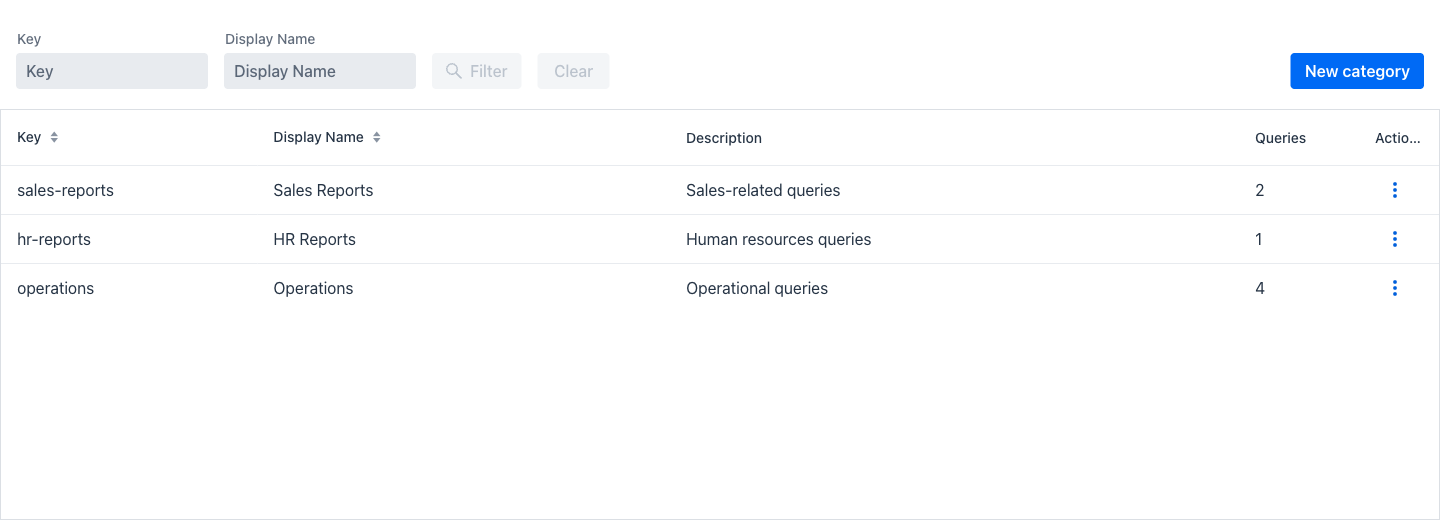
Entering the view shows a listing of every category, with a filter area above the grid.
Filters
The filter area offers two fields. The Filter button becomes active as soon as either has a value, and Clear resets them.
- Key: When entering a text in this field, only the categories whose key contains the entered text are shown.
- Display Name: When entering a text in this field, only the categories whose display name contains the entered text are shown.
At the right of the filter area, the New category button opens an empty category dialog.
Query categories grid
Below the filter area, a grid containing the matching categories is displayed. This grid shows the following columns:
- Key: The unique internal identifier of the category.
- Display Name: The user-facing name. For an internationalised category, this column shows the translated text.
- Description: The optional description of the category.
- Queries: The number of query definitions currently in the category.
- Actions: A dropdown menu of the actions that can be performed on the category of the current row.
Actions
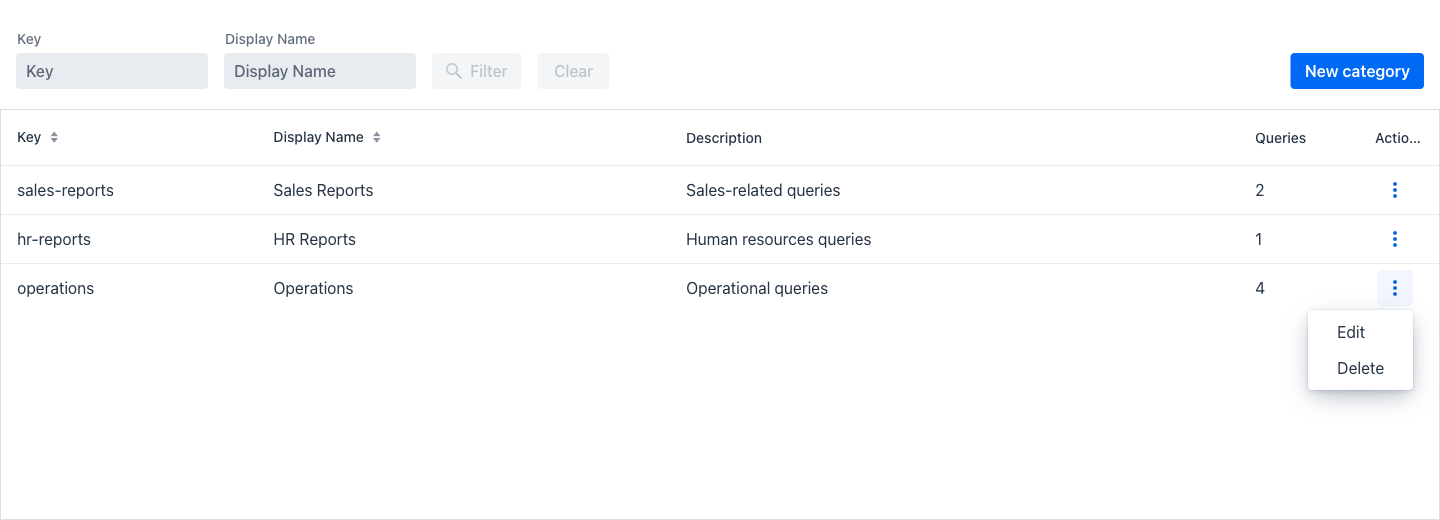
- Edit: Opens the category dialog described below.
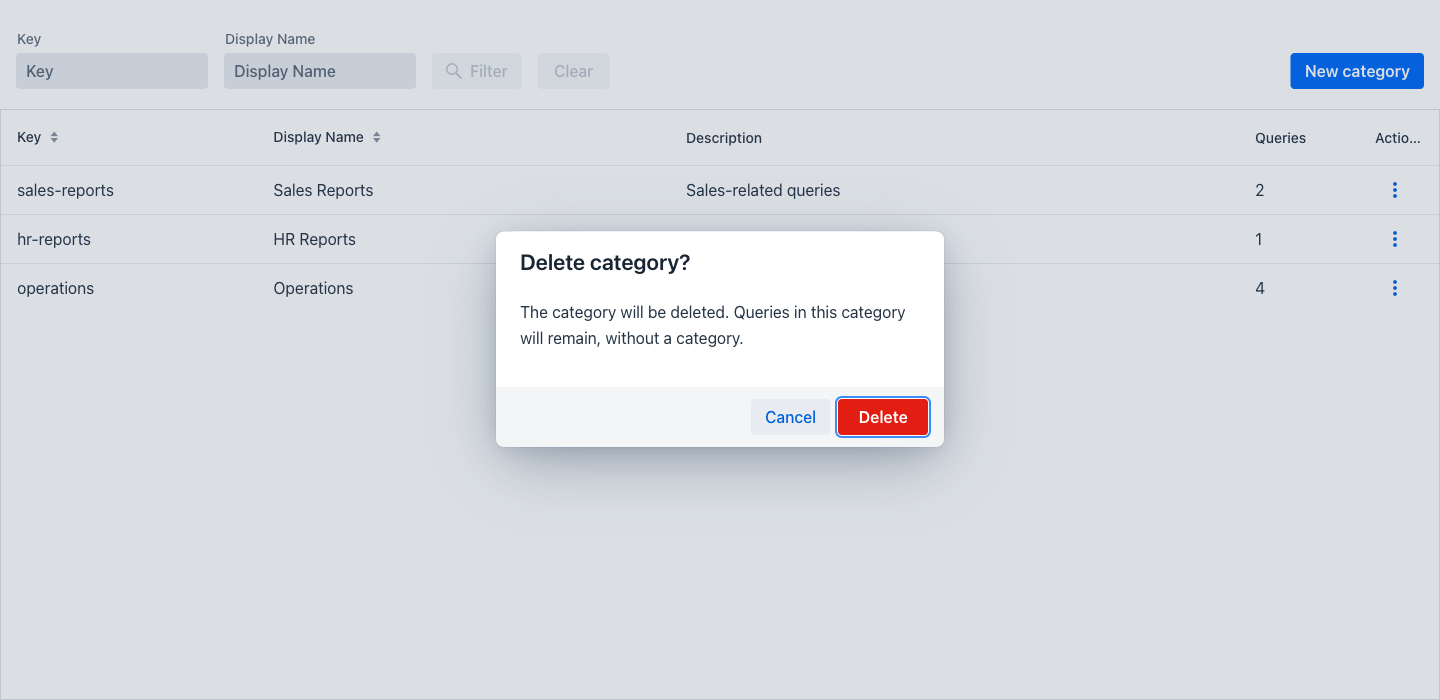
- Delete: Displays a confirmation dialog asking to confirm the deletion.
Warning
Deleting a category is permanent and cannot be undone. The queries that belonged to it are not deleted; they are left without a category and continue to work.
Category Creation and Edition
Both creating and editing a category use the same dialog.
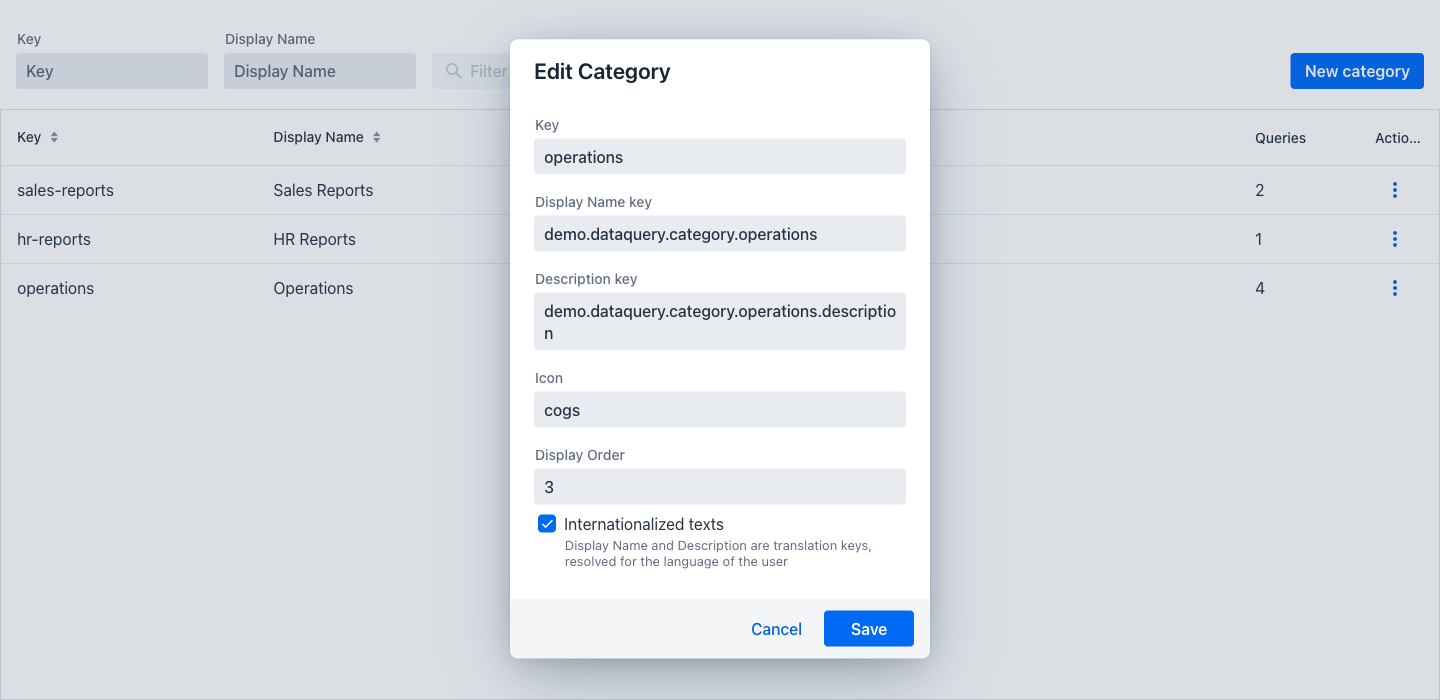
- Key: The unique internal identifier of the category. Required, and rejected if another category already uses it.
- Display Name: The user-facing name. Required.
- Description: Optional free text describing what the category groups.
- Icon: The optional name of an icon shown for the category, such as
cogs. - Display Order: The position of the category when categories are listed.
- Internationalized texts: When ticked, the display name and the description are no longer literal text but translation keys, resolved for the language of each user. Ticking it relabels both fields to end in "key", as a reminder of what now belongs in them.
The Save button persists the category and Cancel discards the changes.