User Features
The features described in this section are accessible to any authenticated user of the application.
My Configurations
The My Configurations view allows regular users to view and edit their own personal configuration values. Each configuration entry represents a key-value pair that can be customised on a per-user basis. Values that have not been changed display a (Default) label, indicating they still use the system-defined default.
Users cannot create, rename or delete configuration entries from this view. An administrator defines which entries exist; the user decides the value each one takes for their own account.
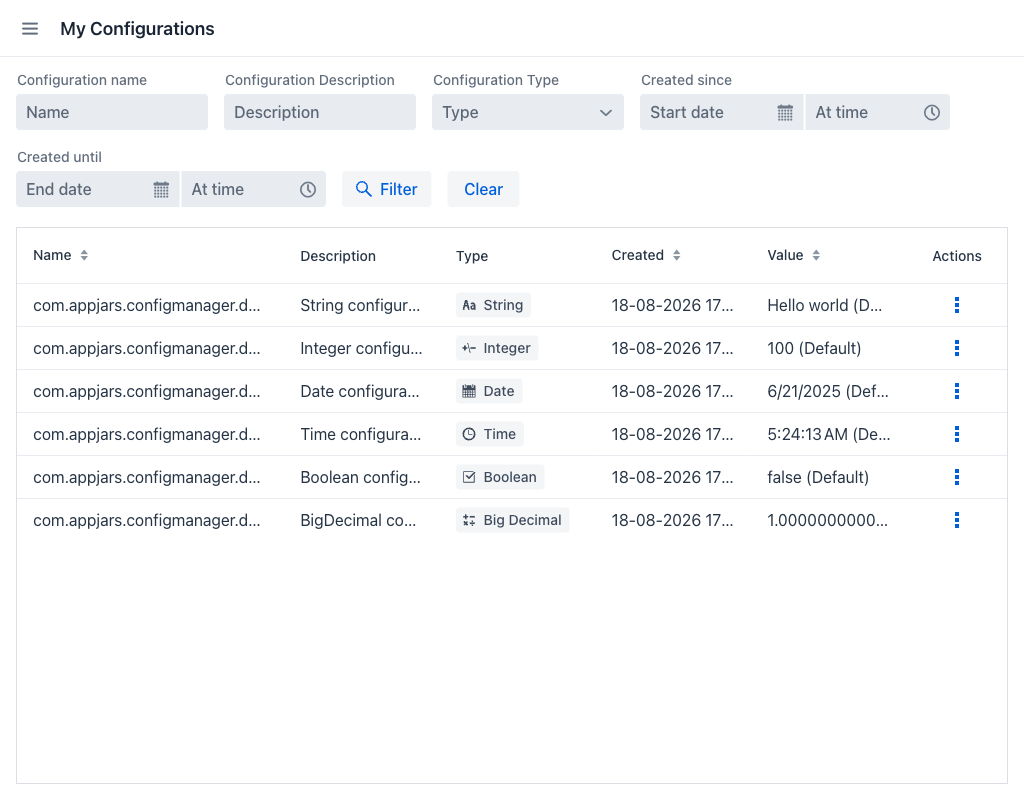
Configurations Grid
The grid displays the following columns:
- Name: The configuration key name. Keys are usually written as dotted property names, such as
com.appjars.configmanager.demo.user_string. - Description: A human-readable explanation of what the configuration controls.
- Type: The data type of the value, shown as a badge: String, Integer, Big Decimal, Boolean, Date or Time.
- Created: The date and time when the configuration was originally created, shown in the user's own time zone.
- Value: The current value. If the user has not set a custom value, the cell displays the default value followed by (Default).
- Actions: A per-row actions menu.
The Name, Created and Value columns can be sorted, and every column can be resized by dragging its edge.
Filters
The view provides the following filter fields to narrow down the list:
- Configuration name: Filters entries whose name contains the entered text.
- Configuration Description: Filters entries whose description contains the entered text.
- Configuration Type: Dropdown to filter by data type.
- Created since / Created until: Date and time range filters that narrow results by creation date. Each bound is split into a date field and a time field, and the missing half is filled in automatically: a date without a time starts at the beginning of the day for Created since and runs to the end of the day for Created until, while a time without a date applies to the current day.
Once any filter field has a value, the Filter and Clear buttons become active. On narrow screens the filter fields collapse behind a Filter button that opens them in a dialog.
Row Actions
Click the actions icon on any row to access the following actions. The same actions are also available by right-clicking a row:
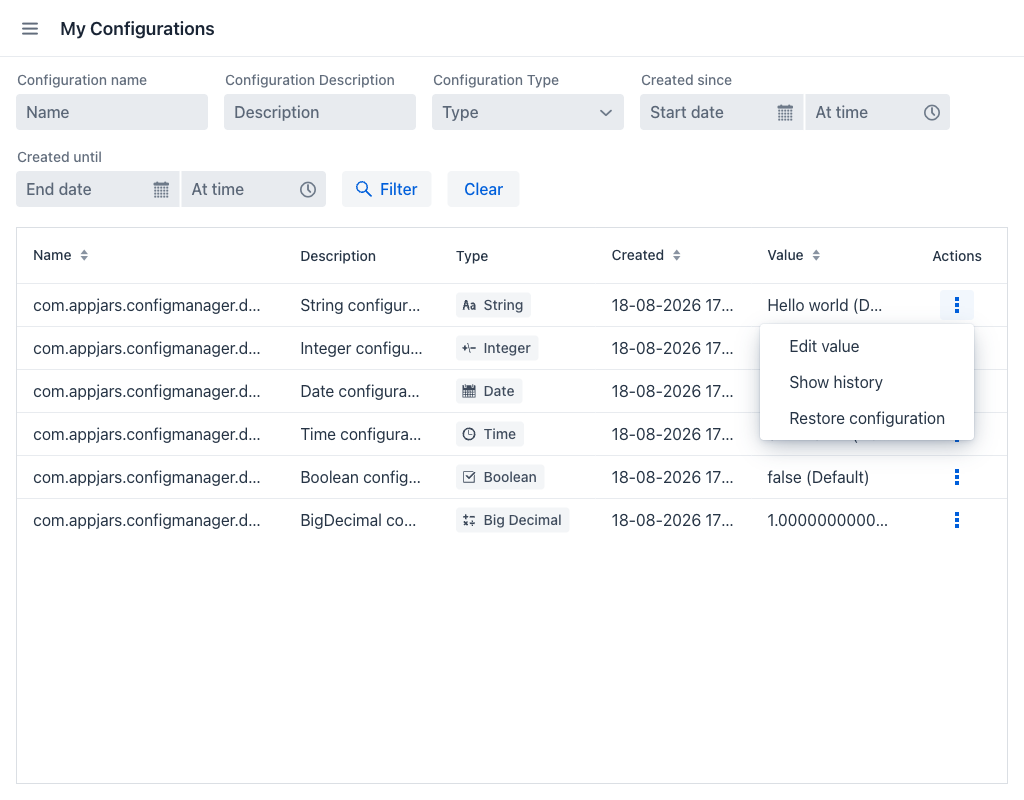
- Edit value: Opens the Edit value dialog to change the value for the current user.
- Show history: Opens the Values history dialog listing the previous values of this entry.
- Restore configuration: Resets the value back to its default, after a confirmation step.
Edit value Dialog
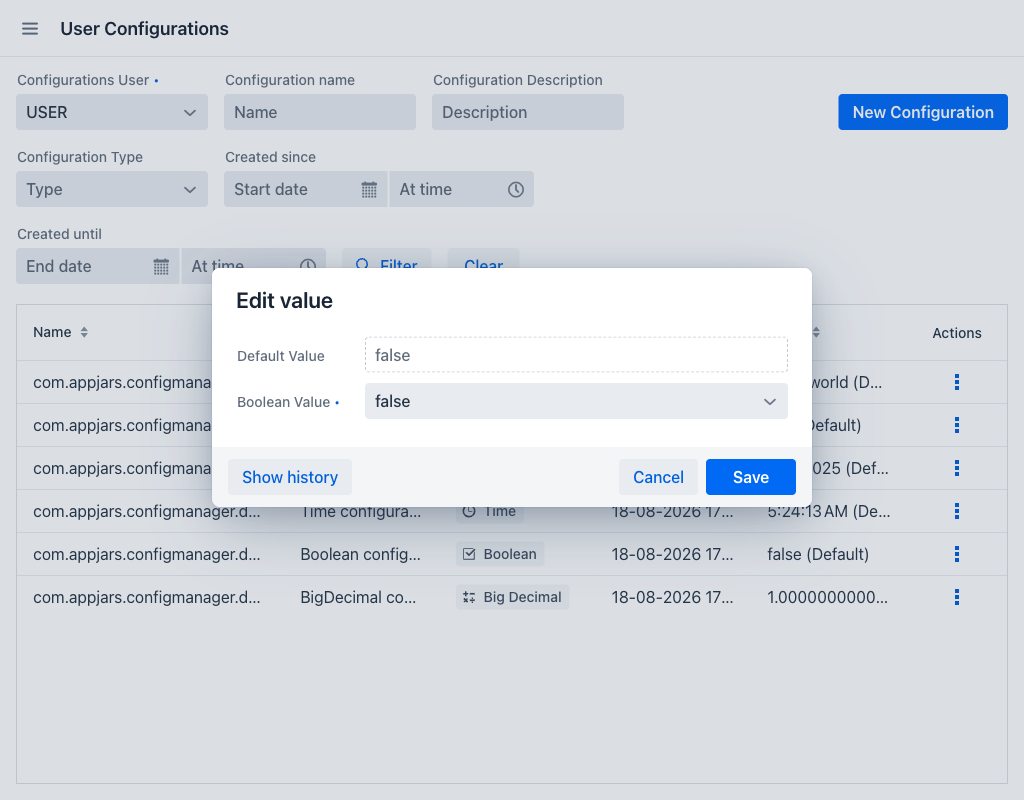
The dialog shows the following fields:
- Default Value: The value the entry falls back to when no personal value is set. Read-only.
- Value (required): The input field for the user's own value. Its label names the data type — String Value, Integer Value, Boolean Value and so on — and the control adapts to that type:
| Value Type | Input Control |
|---|---|
STRING |
Text field |
INTEGER |
Integer number field |
BIG_DECIMAL |
Decimal number field |
BOOLEAN |
Dropdown showing true and false |
DATE |
Date picker |
TIME |
Time picker |
The dialog footer contains:
- Show history: Opens the Values history dialog.
- Cancel: Closes the dialog without saving.
- Save: Stores the new value. The previous value is kept in the history.
Values history Dialog
The history dialog lists every value the entry has held, most recent first. Saving a value never overwrites the previous one, so this list is a complete record of how the configuration has changed.
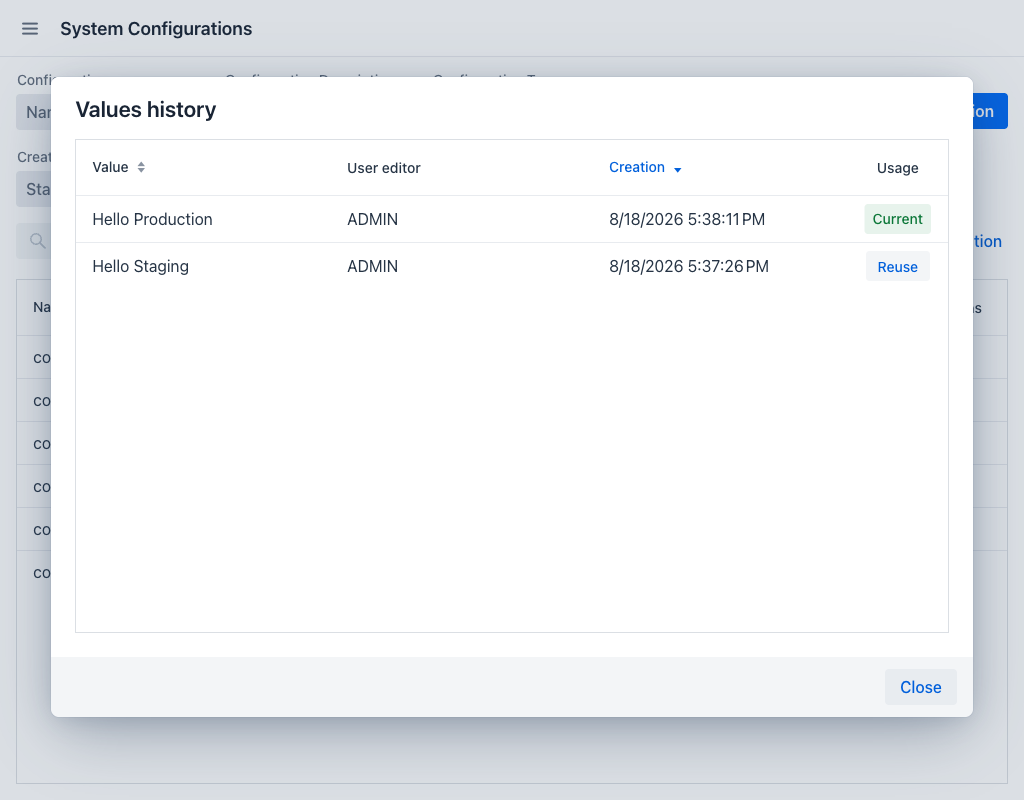
Each row shows:
- Value: The saved value.
- User editor: The user who saved that value.
- User owner: The user the value belongs to.
- Creation: The date and time when the value was saved.
- Usage: Marks the value currently in use with a Current badge. Every other row offers a Reuse button, which creates a new entry with that value and makes it the current one.
When the entry has never been changed, the dialog shows a message stating that the configuration has no value history.
Free Mode
When the application runs without a valid Configuration Manager licence, a bar above the grid carries a Free version badge, whose information icon explains that this version restricts the number of configurations, an Upgrade badge linking to the licensing information, and a Configurations: counter showing how much of the free allowance is in use.
The allowance does not change what a user can do here, because this view never creates configurations. It only matters when an application holds more configurations than the allowance permits, in which case Edit value, Show history and Restore configuration are disabled until an administrator removes enough entries.