Removers
A Remover defines the criteria that determine which log entries are automatically deleted after they reach a specified age. While Extractors define what to keep, Removers define what to discard — and when. This prevents the log database from growing indefinitely by removing entries that are no longer needed.
Removers List
The Removers list view is available at /al/removers under Activity Log → Removers in the navigation menu.
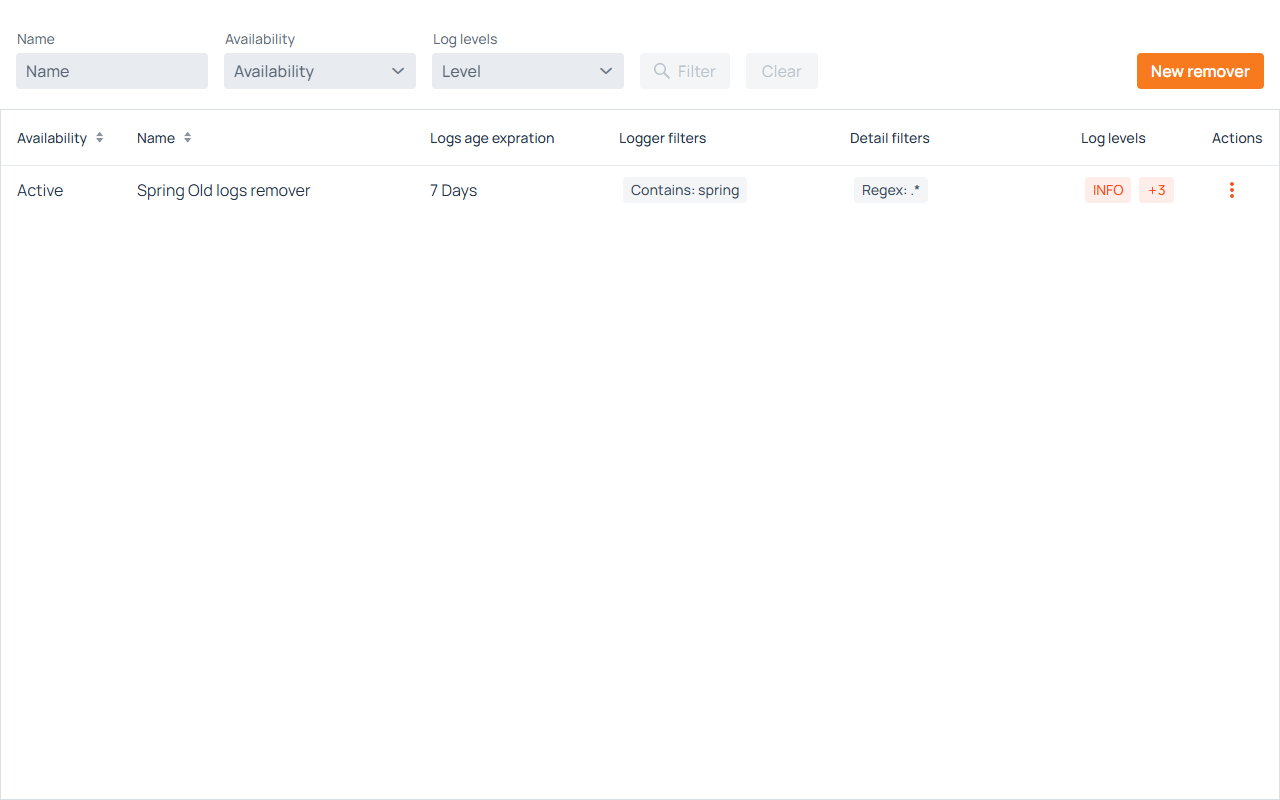
Filters
- Name — Filters removers by name (partial match).
- Availability — Filters by active or inactive status.
- Log levels — Filters removers that target a specific severity level.
Click Filter to apply, or press Enter in the Name field. Click Clear to reset.
Grid Columns
- Availability — Displays whether the remover is Active or Inactive.
- Name — The name assigned to the remover.
- Logs age expiration — The configured retention period (e.g., "7 Days"). Log entries older than this threshold that match the remover's criteria will be deleted.
- Logger filters — A summary of the logger name patterns targeted.
- Detail filters — A summary of the log message content patterns targeted.
- Log levels — The severity levels this remover targets for deletion.
- Actions — A menu with available operations.
Row Actions
Clicking the ··· icon opens a menu with:
- Edit remover — Opens the remover's configuration form for editing.
- Duplicate remover — Creates a copy of the remover with the name prefixed by "Copy of".
- Activate / Deactivate remover — Toggles the active state. Inactive removers do not delete any logs.
- Delete remover — Opens a confirmation dialog before permanently deleting the remover configuration.
Creating and Editing a Remover
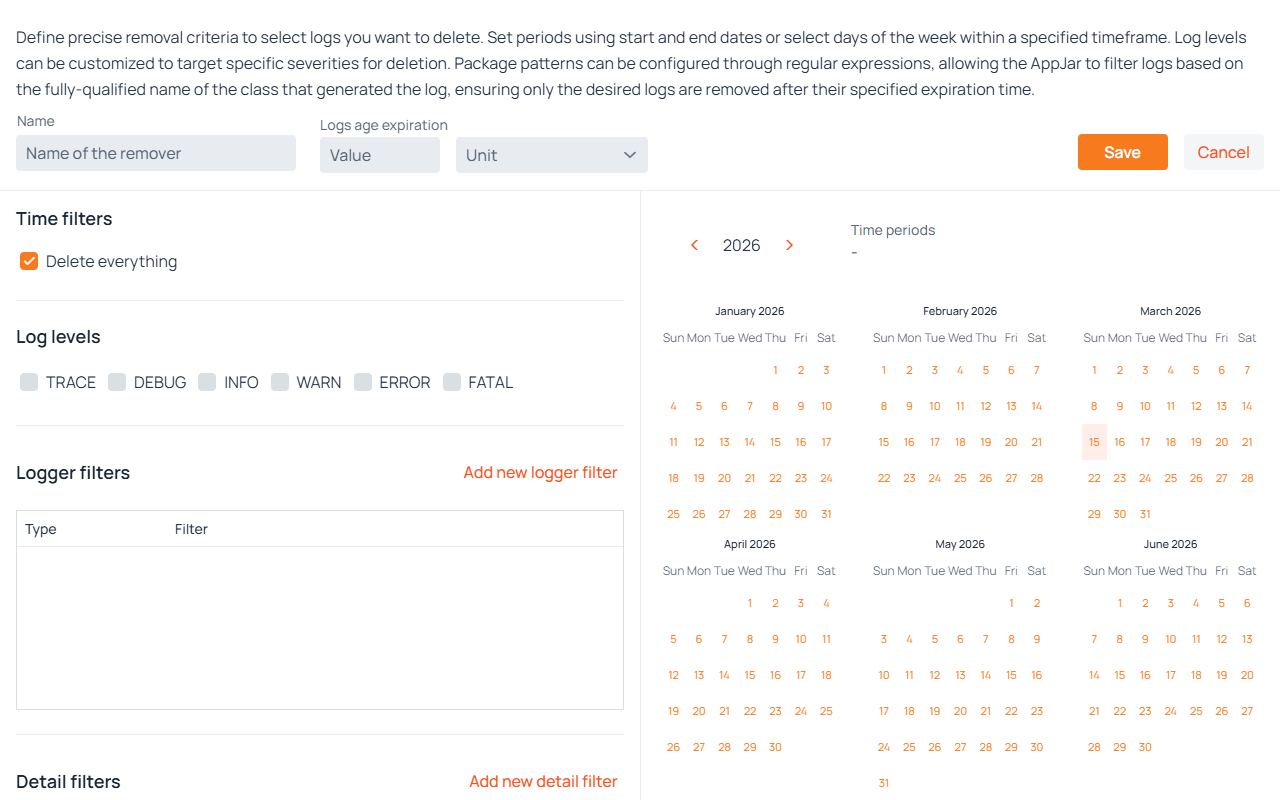
Click New remover to open the creation form. Clicking Edit remover from a row's action menu opens the same form pre-filled with the existing values.
Name
Enter a unique name that identifies the purpose of this remover (e.g., "Spring Old Logs", "Debug Cleanup").
Logs Age Expiration
Defines how old a log entry must be before this remover deletes it. Two fields are required:
- Value — A positive integer representing the quantity.
- Unit — The time unit. Available options: Seconds, Minutes, Hours, Days, Months, Years.
For example, a value of 7 with unit Days deletes matching log entries that are more than 7 days old.
Time Filters
Defines the time windows for which this remover applies.
- Delete everything — When checked, the remover targets logs from all time periods without restriction.
- If unchecked, specific time filters must be defined. Click Add new time filter to configure time windows.
The time filter types, the Time zone setting, the inclusive From and exclusive To bounds, and the calendar preview all work identically to those in Extractors.
Log Levels
Select the severity levels this remover should target for deletion. At least one level must be selected.
Logger Filters
Defines which loggers (by class name) this remover targets. At least one filter is required.
Filter types work identically to those in Extractors.
Detail Filters
Defines which log messages (by content) this remover targets. At least one filter is required.
Filter types work identically to those in Extractors.
When multiple detail filters are configured, a log entry is eligible for deletion if its message content satisfies any of them. Detail filters work alongside logger, timestamp, and log-level criteria: a log entry is deleted only when all configured criteria match. If no detail filters are defined, no log entries are removed by this remover.
Saving
Click Save to persist the remover. Validation errors are shown next to the field they concern, and an empty logger or detail filter section is reported under its own grid. If the form cannot be saved, a Check the form for errors notification appears and the view scrolls to the first section with an error. Click Cancel to discard changes and return to the list.
When editing, a Delete button is available to permanently remove the remover configuration after confirmation.